How to Migrate Your Peptide Store from Shopify to WooCommerce (Without Losing Rankings)
Why peptide stores are leaving Shopify, what WooCommerce does and doesn't fix, and a step-by-step migration plan that keeps your products, customers and Google rankings.
If you run a research peptide store on Shopify, you’ve probably heard the stories: a store that ran fine for months, then a sudden account review, a closed store and payouts on hold. It doesn’t happen to every store, but it happens often enough that many owners are planning their exit before they need one.
This guide walks through why peptide stores are moving from Shopify to WooCommerce, what a migration actually involves, and how to do it without losing your products, customers or Google rankings. We also cover the one thing most migration guides skip: WooCommerce on its own does not solve the payment problem.
Why peptide stores are leaving Shopify
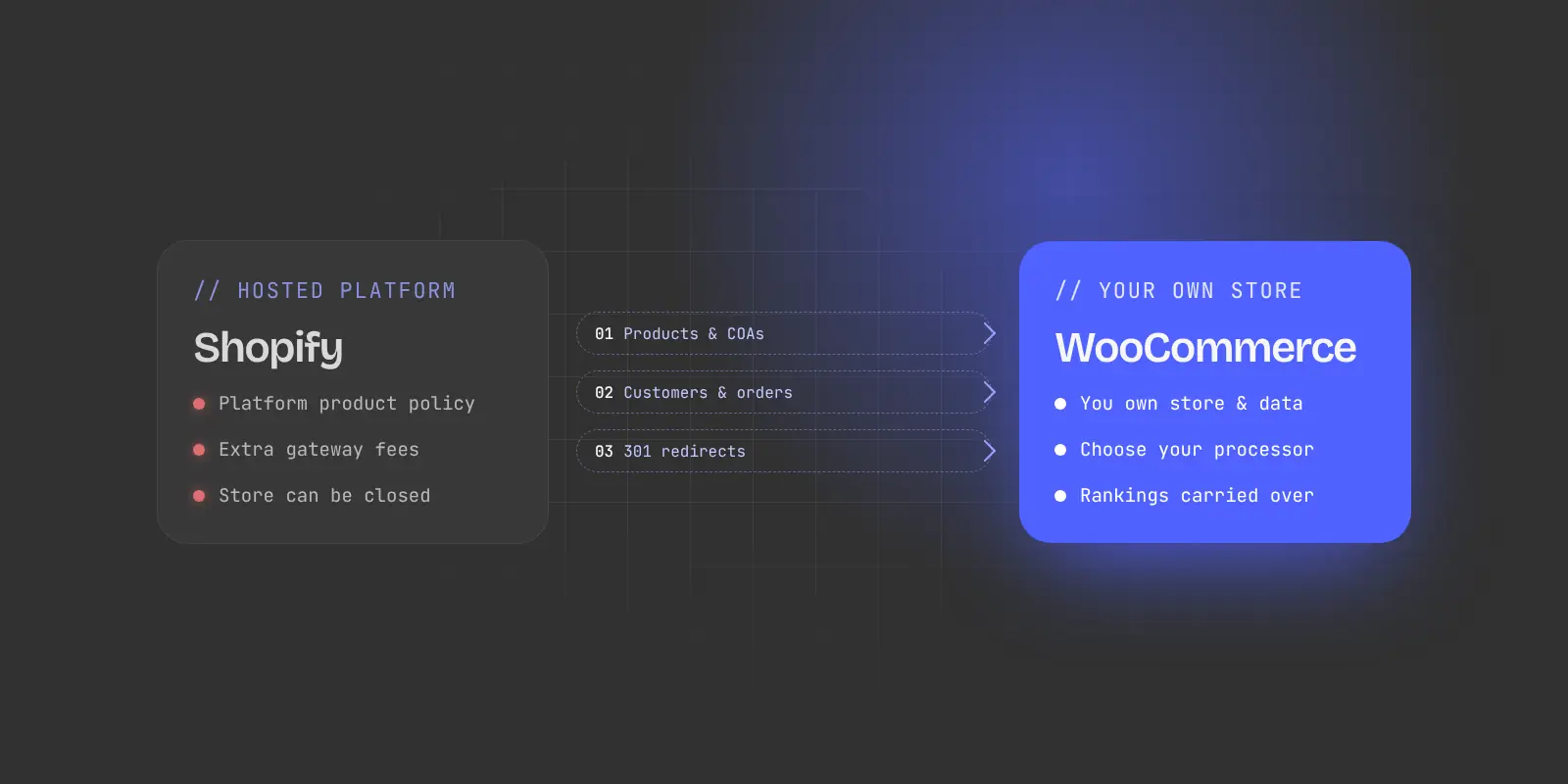
Shopify doesn’t name “peptides” in its policies, but research peptides sit close to several categories that Shopify and its payment partners restrict:
- Shopify Payments doesn’t allow products that require regulatory approval, or “pseudo-pharmaceuticals” that make unverified health claims.
- Stripe, which powers Shopify Payments in most countries, lists “incorrectly labeled research chemicals” as a prohibited business.
- Shopify’s Acceptable Use Policy applies to your whole store, whichever payment gateway you connect.
The practical problem is timing. Store setup and payment onboarding are mostly automated, so a peptide store can open without issues. The catalog review often comes later, once sales volume grows. If it goes against you, you can lose the store and have funds held for months, right when the business is starting to work.
Even stores that are never shut down pay a price. Shopify adds its own transaction fee when you use a third-party payment gateway, on top of the higher rates high-risk processors already charge.
What you gain by moving to WooCommerce
WooCommerce is a free, open-source store plugin for WordPress. The key difference is ownership:
- You own the store. The software runs on hosting you choose. No platform can remove your storefront because of its own product policy.
- You choose the payment provider. WooCommerce works with many gateways, including high-risk processors that underwrite research chemicals.
- No platform transaction fee. You pay your processor and your host, not a percentage to the platform.
- Full control of product pages. You can build proper COA libraries, batch data, a reconstitution calculator and structured research catalogs without fighting a theme’s limits.
What WooCommerce does not fix
This is where many owners get caught out, so it’s worth being direct.
Switching platforms doesn’t change your payment risk. WooCommerce’s own payment service, WooPayments, is built on Stripe and lists “peptides and other research chemicals” as prohibited. PayPal, Square and Stripe treat the category as high-risk or prohibited too. On WooCommerce you still need a processor that knowingly underwrites research peptides, and you need to disclose your products accurately when you apply.
Two other things move with you:
- Your hosting provider has rules too. Check your host’s acceptable use policy before you build, not after.
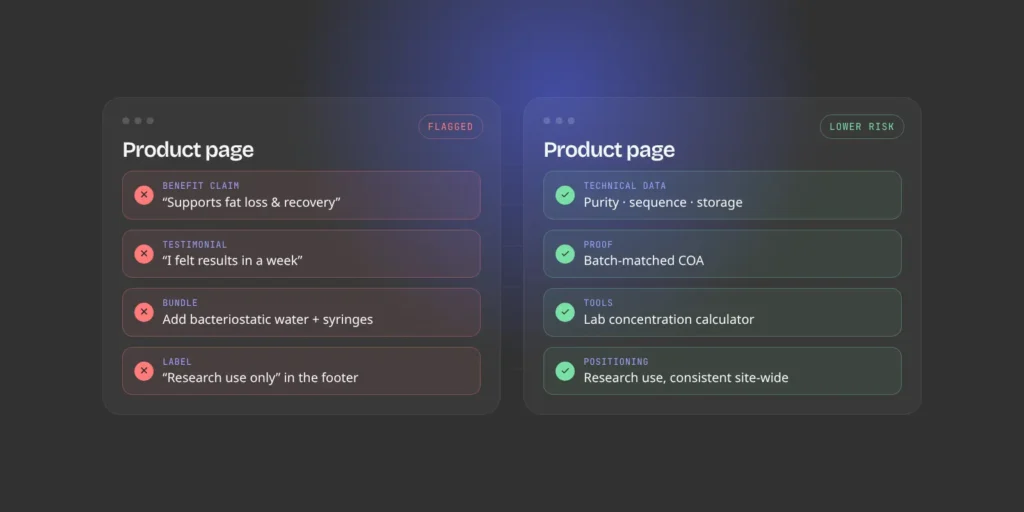
- Your product copy still matters. Underwriters and regulators read your product pages. Wording that suggests human use, dosing or health benefits is a risk on any platform.
A migration is a good moment to clean up product language, policies and COAs. Final wording and policy decisions should still be reviewed by your own legal counsel. Softrave builds websites; we don’t give legal or regulatory advice.
The migration, step by step
1. Audit and export everything
Before anything moves, take stock of what you have. Export from Shopify:
- Products, including variants, SKUs, prices, stock and images
- Collections and how products are grouped
- Customers and order history
- Pages, blog posts and your store policies
- A full list of live URLs (your Shopify sitemap is a good start)
- Your COA files and batch records, which often live outside Shopify
Tools like WooCommerce’s Shopify Data Migrator can move products, customers, orders, coupons, pages and blog posts. Complex discount rules may need to be rebuilt by hand.
2. Map every old URL to a new one
This step protects your Google rankings. Shopify and WooCommerce use different URL patterns, so every indexed page needs a matching new address:
| Shopify URL | Typical WooCommerce URL |
|---|---|
/products/bpc-157-5mg |
/product/bpc-157-5mg/ |
/collections/research-peptides |
/product-category/research-peptides/ |
/pages/coa-library |
/coa-library/ |
/blogs/news/storage-guide |
/storage-guide/ |
Every old URL gets a 301 (permanent) redirect to its new page. Done properly, most of your ranking value carries over. Skipped, Google sees hundreds of broken pages and your organic traffic drops.
3. Rebuild the store, and fix what Shopify wouldn’t let you do
Don’t just copy the old store. Use the rebuild to put the things that keep a peptide store credible and online on every product page:
- A COA on every product, tied to the batch the customer actually receives, not a folder of PDFs
- Consistent research-use labeling on product pages, in the cart and at checkout
- Clear policies: terms of sale, refunds, shipping and research-use terms
- Structured technical data: purity, molecular weight, sequence and storage conditions
- A reconstitution calculator framed as a lab concentration tool, not dosing guidance
4. Set up payments before you switch
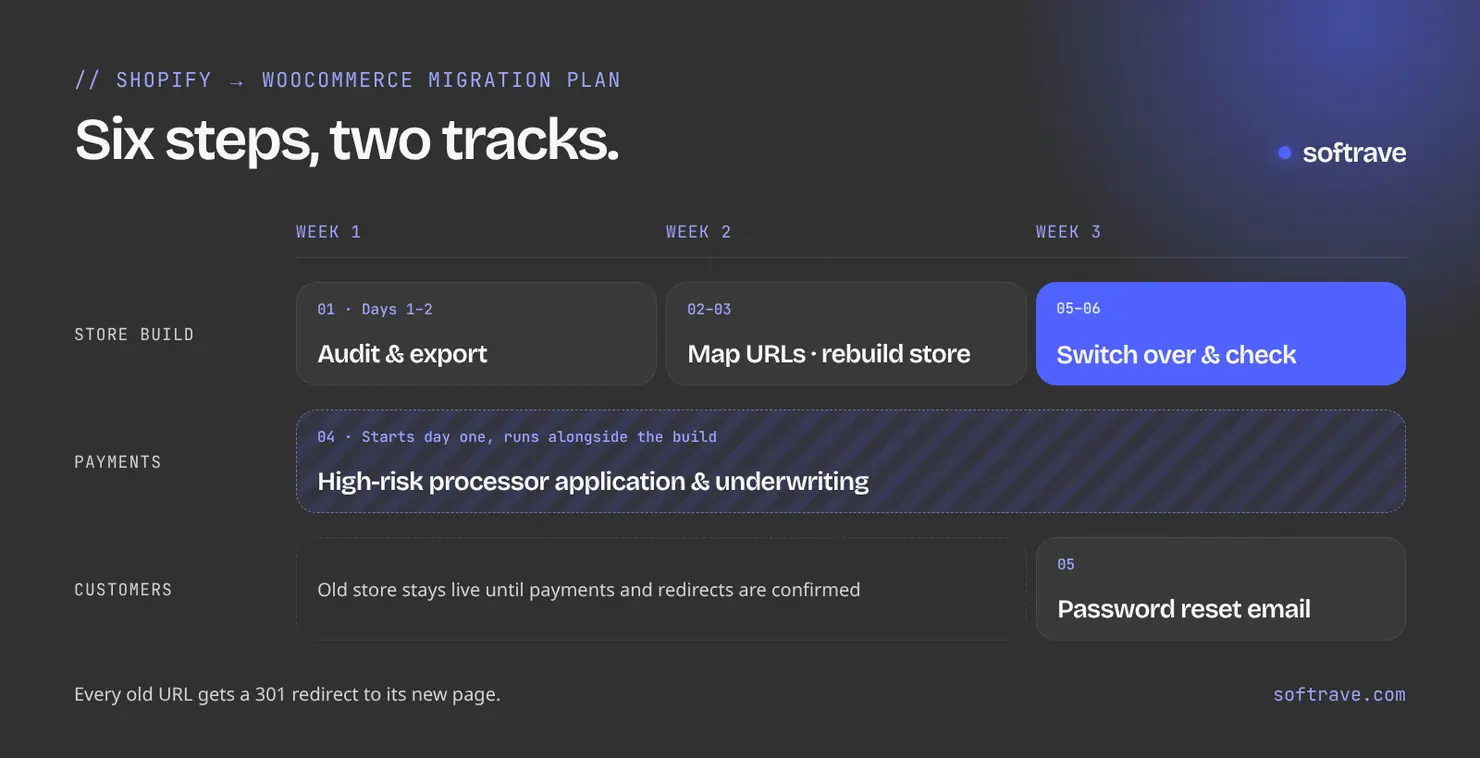
Start your high-risk processor application early. Underwriting can take a few weeks, and processors review your live site as part of the application, so the new store should be finished and compliant when they look at it. Set up a backup payment option if you can, so one decision can’t stop all your sales.
5. Plan the customer switchover
Customer accounts and order history can be migrated, but passwords can’t. Shopify doesn’t export them. Plan a short, clear email that tells customers about the new store and asks them to reset their password. It’s also a good reason to get back in touch with past buyers.
6. Go live and check everything
- Point your domain to the new store and confirm SSL is working
- Test checkout end to end with real payments
- Crawl the site and test a sample of old URLs to confirm the redirects work
- Submit the new sitemap in Google Search Console
- Watch Search Console for crawl errors and 404s over the next few weeks
Keep your Shopify account open for a short overlap period, until payments and redirects are confirmed. Then close it.
Migration checklist
- Export products, customers, orders, pages, posts and URLs from Shopify
- Collect COAs and batch records
- Choose hosting that allows the category
- Start the high-risk processor application
- Build the WooCommerce store and import the data
- Review product copy and policies (with your legal counsel)
- Map and test 301 redirects for every old URL
- Test checkout with live payments
- Switch the domain and submit the sitemap
- Email customers about password resets
- Monitor Search Console and close Shopify after the overlap
How long does it take?
For a typical peptide catalog, a well-planned migration takes two to three weeks from kickoff to launch. Most of that time goes into design, the rebuild and compliance cleanup. Payment underwriting runs alongside the build and can take longer, which is why it starts on day one.
Get help with your migration
Softrave builds and migrates peptide stores on WooCommerce. Our migrations include the URL map and redirects, COA system, product data cleanup and a launch checklist. See our peptide store website development service, or start with a free store health check. We’ll review your current store and tell you what could put it at risk, whether or not you decide to move.