// Case study — UI/UX design
The Fly Menu.
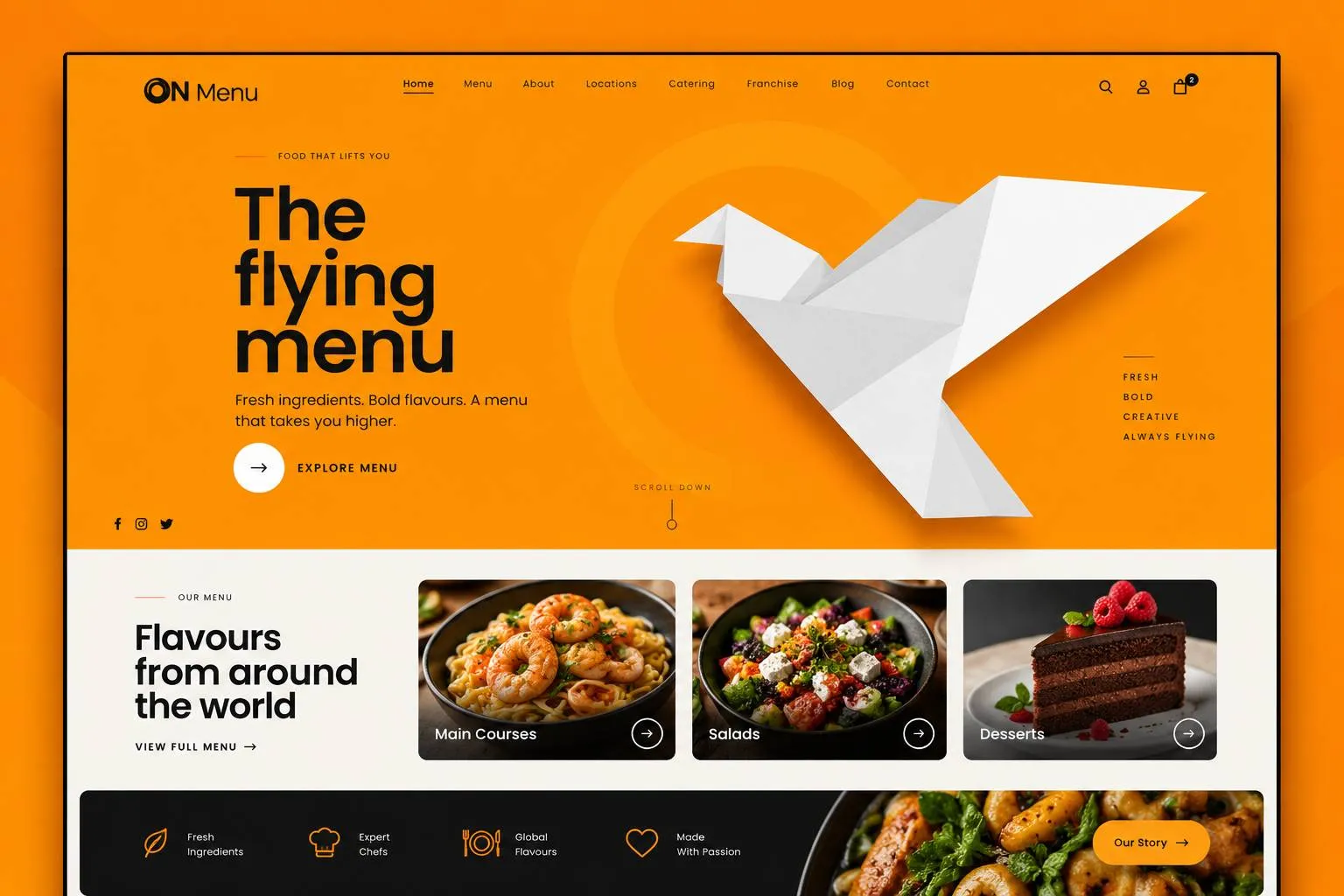
Food ordering app UI/UX design for The Fly Menu in Saudi Arabia: landing pages, then mobile and desktop app design across multiple phases, now live.
About the project.
The Fly Menu is a food ordering platform from a client in Saudi Arabia that lets people browse a menu and order their favourite meals in just a few taps. What started as landing page design and development grew into a long-term partnership covering food ordering app UI/UX design for mobile and desktop across multiple phases. Both the web app and the mobile app are now live.
The challenge: ordering food without friction
Ordering food on a phone often means long menus, small buttons and too many steps before checkout. The Fly Menu needed an ordering experience that feels quick and effortless on every screen, from a phone to a desktop.
How the project grew, phase by phase
- Landing pages: we designed and developed the landing pages that introduce The Fly Menu to customers.
- Mobile app design: multiple phases of mobile app UI/UX design for the customer ordering experience.
- Desktop app design: the desktop app, designed to match the mobile experience.
Every design phase followed the same process: wireframes to agree the structure and flows, then high-fidelity UI design, then a clickable prototype to test the experience before development. Everything was designed to be fully responsive and optimised for every screen size.
Key design decisions
- A visual menu: dishes shown with photos, so choosing is easy.
- Simple categories: customers find meals fast without endless scrolling.
- A short path to checkout: as few steps as possible from choosing a dish to placing the order.
- Large tap targets: comfortable to use with one hand on a phone.
What makes a food ordering app work
Good restaurant app UI design is about speed and appetite. The food should look good enough to order, the menu should be easy to scan, and checkout should take seconds. A consistent design across the website, mobile app and desktop app also builds trust, because customers get the same experience wherever they order.
The result
The Fly Menu launched both its web app and its mobile app, and the team is still building on the designs and interface elements we created for them.
Building a food delivery, restaurant or ordering app? We design mobile apps, web apps and websites for clients in Saudi Arabia, the Gulf, the US, UK, Europe and beyond. See our UI/UX design services or book a free discovery call.
Ordering food on a phone often means long menus, small buttons and too many steps. The Fly Menu needed ordering that feels quick and effortless on every screen.
Starting with landing pages, we designed the mobile and desktop apps in phases: wireframes, then UI design, then a clickable prototype, all fully responsive.
What we designed.
Landing pages
Designed and developed to introduce the platform.
Mobile app UI/UX
A visual menu and a short path to checkout.
Desktop app UI/UX
The same easy ordering on larger screens.
Wireframes to prototype
Every phase tested before development.