// UI/UX design services
Interfaces people understand at first tap.
Figma UI/UX design for mobile apps, websites and SaaS dashboards. Clear user flows, polished screens and developer-ready files, from a team with 6+ years of product design experience.
Users don't read manuals. They leave.
Most products lose people in the first few screens, long before they see what the product can do. These are the usual reasons.
Confusing flows
If signing up, checking out or finishing a key task takes too many steps, people give up. Good UX maps the shortest path before a single screen is drawn.
Inconsistent screens
Different buttons, colours and spacing on every page make a product feel unfinished and harder to learn.
Expensive rebuilds
Fixing a design after development costs far more than fixing it in Figma. A tested prototype catches problems while they are still cheap.
We design the flow first, then the screens, so your product is easy to use from day one.
See what's includedEverything from first idea to developer handoff.
Every package follows the same process, scaled to the size of your product.
UX research & flows
We map users, goals and journeys before designing any screens.
- User journeys
- Information architecture
- Task flows
Wireframes
Low-fidelity layouts to agree the structure quickly.
- Key screens first
- Fast iterations
- Content hierarchy
Visual UI design
Polished, on-brand screens that look and feel premium.
- Typography & colour
- Custom icons
- Light & dark modes
Clickable prototypes
Interactive Figma prototypes to test ideas and present to stakeholders.
- Real user flows
- Micro-interactions
- Investor & client demos
Design systems
Reusable components so every new screen stays consistent.
- Components & variants
- Colour & type styles
- Usage notes
Responsive layouts
Designs that work on phones, tablets and desktops.
- Mobile-first
- Breakpoints defined
- iOS & Android patterns
Accessibility
Readable, usable interfaces for as many people as possible.
- Contrast checks
- Touch target sizes
- Clear states & errors
Developer handoff
Files your developers can build from without guesswork.
- Specs & spacing
- Exported assets
- Handoff walkthrough
Illustrative example of a Figma component library.
One system. Every screen consistent.
Larger projects get a component library in Figma, so new features look like they were always part of the product and your developers build faster.
- Colours, type and spacing saved as reusable styles
- Buttons, inputs and cards built as components with every state
- Light and dark variants where your product needs them
- Documented so your team can extend it after handoff
Recent product design work.
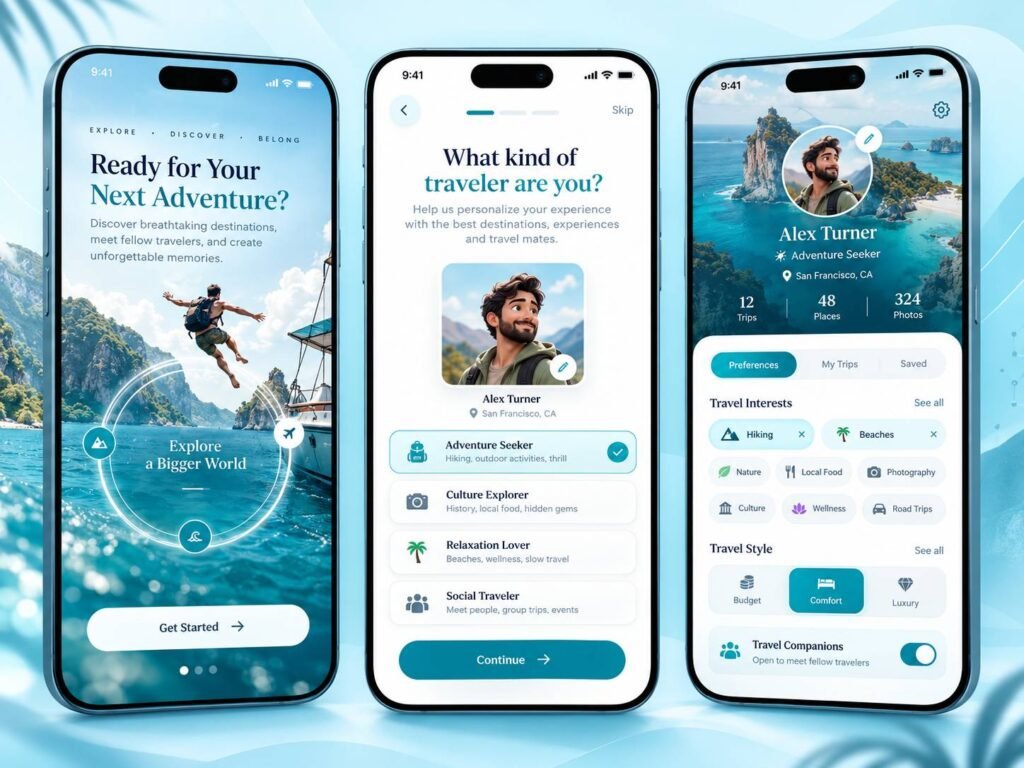
The Travel App
A travel app for planning and customising trips around your own schedule.
View case study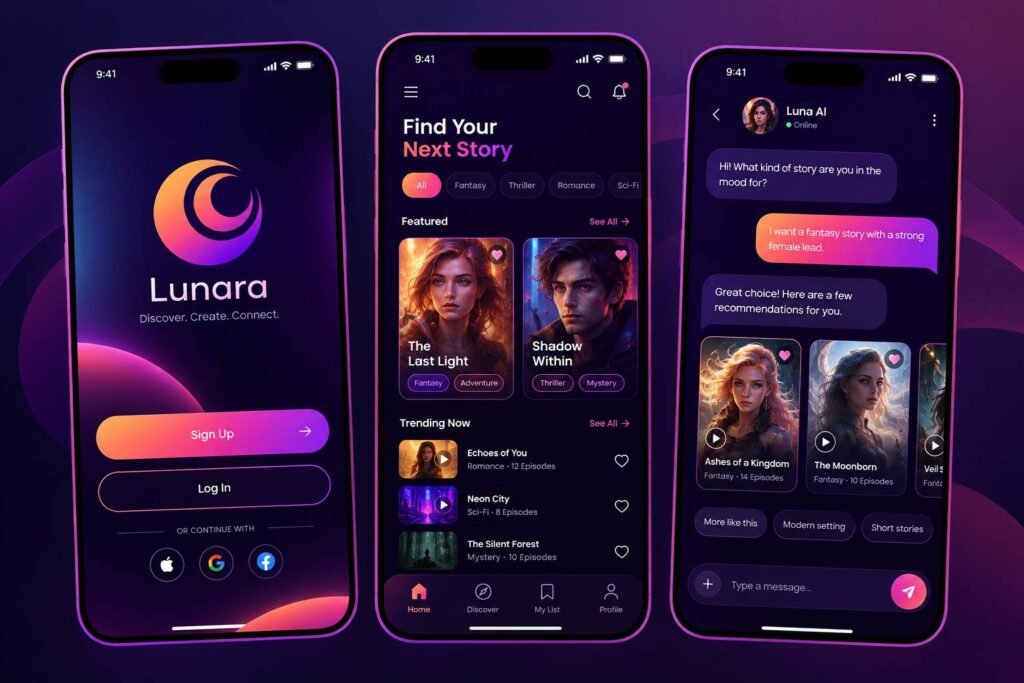
Seluna
An AI-powered app where people create stories and share them with a community of readers and writers.
View case study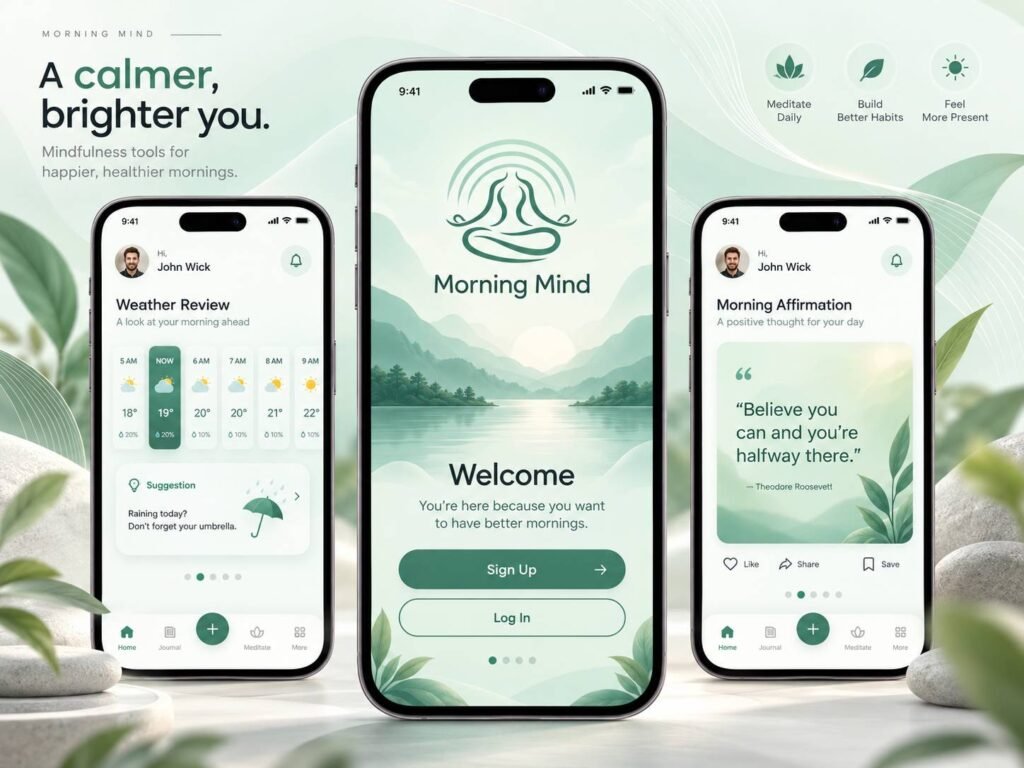
Morning Mind
A meditation app with customisable alarms, wake-up affirmations, music and a calendar, for a calm, personalised start to every morning.
View case study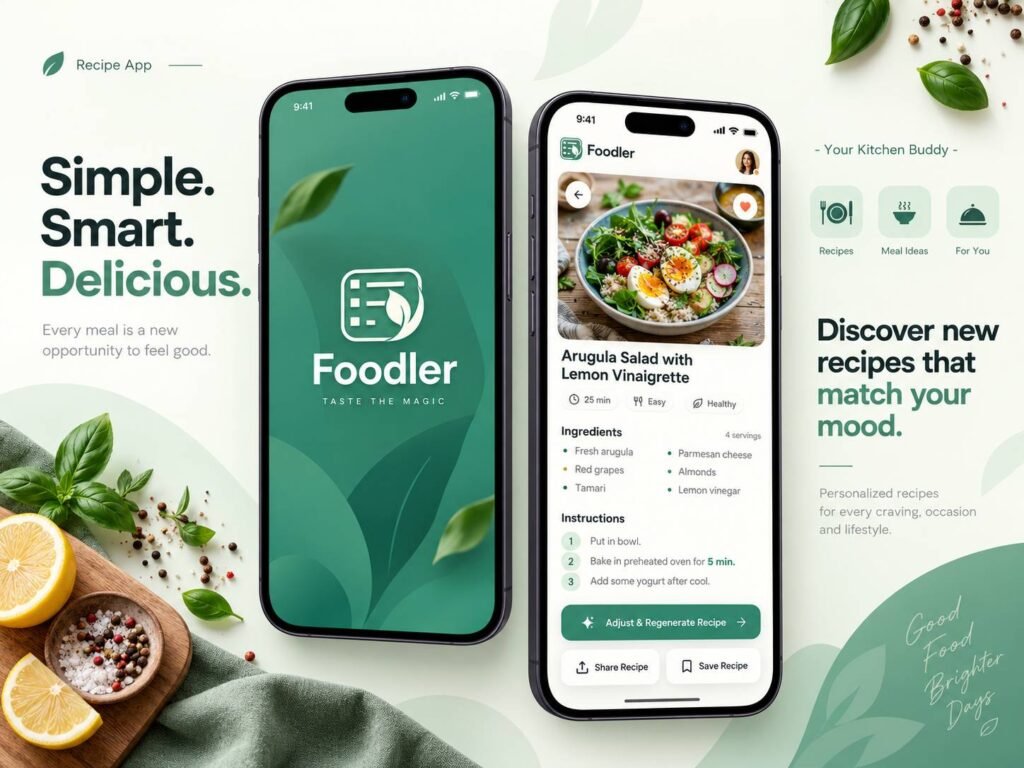
Foodler
The interface combines clean layouts, soft vibrant colors, and intuitive navigation to help users discover recipes, get personalized meal suggestions, track calories, and even find ingredients…
View case studyClear prices. No surprises.
Fixed packages so you know the cost before we start. Every paid package includes the Figma source files.
UX Review
For existing apps or websites that feel hard to use.
- Review of key screens & flows
- Top usability issues
- Quick-win suggestions
- Short written summary
Landing Page
A conversion-focused landing page design, ready to build.
- One landing page in Figma
- Desktop & mobile layouts
- 2 revision rounds
- Developer-ready file
App / Website UI
The core screens of your app or website, designed end to end.
- Up to 15 screens
- User flow mapping
- Clickable prototype
- Design system basics
- 2 revision rounds
Product Design
Full UX and UI for SaaS products and dashboards.
- UX research & user flows
- Full app or dashboard UI
- Complete design system
- Prototype & developer handoff
Not sure which package fits? Product design is priced between $800 and $2,000 depending on the number of screens and complexity. We confirm a fixed quote after a short call.
Get a quoteA clear process, from brief to handoff.
You see progress at every stage and approve each step before we move on.
- Step 1
Discover
Goals, users and requirements agreed on a short call.
- Step 2
Wireframe
User flows and layouts mapped and approved.
- Step 3
Design
High-fidelity screens and a clickable prototype, with revision rounds.
- Step 4
Handoff
Organised Figma files, specs and a walkthrough for your developers.
Straight answers.
Can't see your question? Ask us on WhatsApp and we'll reply the same day.
Ask on WhatsAppWhich design tool do you use?
Figma, for everything from wireframes to prototypes and the final design system. You get full access to the source files.
Do you also build what you design?
Yes. We build websites in WordPress, and for apps we can work with your developers. You can also take the Figma files to any developer you choose.
How many revisions are included?
The Landing Page and App / Website UI packages include 2 revision rounds. Product design projects include revisions at each stage, agreed in the proposal.
How long does a project take?
It depends on the scope. A landing page is quick, while full product design takes longer. We confirm the timeline in writing before we start.
Can you redesign an existing app or website?
Yes. We start with a UX review of what you have, keep what works and redesign the screens that cause friction.
Who owns the designs?
You do. Once the project is paid, the designs and all source files are yours.
Other ways we can help.
Show us your idea or product. We'll show you what to fix.
Send a link or a short description. We reply with the biggest usability issues we see and how we'd approach the design. No cost, no obligation.
Prefer WhatsApp? Message us